AI Coding Assistants: Value, Workflow, and Tradeoffs (March 2026)
A workflow-first take on AI coding tools: what feels like good value, what I would pick depending on your constraints, and why PLAN/EXECUTE beats one-model-does-everything.
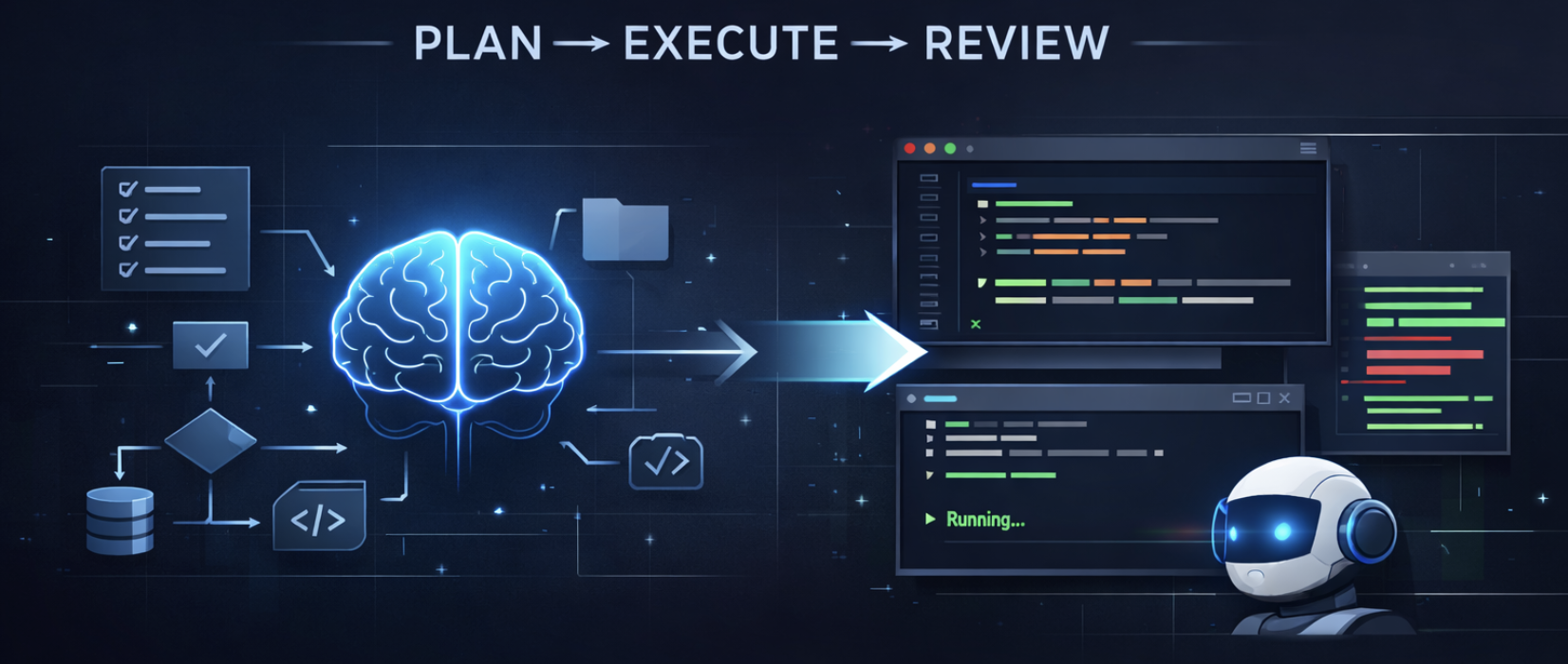
AI coding tools change fast. Anything I write today might be outdated next week. Its fine as this post is just a snapshot of has been useful to me, what feels like good value, and what I would pick depending on your constraints (privacy, budget, and how much you actually ship).
This blog is not a benchmark roundup, and I'm not trying to identify the best tool. It is a workflow-first take from someone who spends most days shipping production code, hacking prototypes, and then dealing with the maintenance.
Here is the kind of work I usually do:
- Frontend: React (TypeScript)
- Backend: Go / Python services
- Infra: Kubernetes, cloud-native deployments, networking
- Typical tasks: Web apps, production APIs, dashboards, platform glue, infrastructure
When I test a coding assistant, I do not throw toy examples at it. I give it things that actually happen:
- turning UI into code (screenshots, design-to-code, MCP-style workflows)
- adding a feature across frontend + backend (sometimes infra)
- refactoring while keeping API compatibility
- writing infra bits (manifests, CI, scripts)
- boring stuff that still matters: docs, migrations, cleanup, glue code
Why this changed so fast
My first "wow" moment was early GitHub Copilot: name a function, hit tab a few times, and you suddenly have code. I remember trying to write a Fibonacci function and thinking, okay... this is going to stick.
Fast forward past the hype of early agents like Devin (iykyk) / Aider, and the industry has made massive strides in the unsexy basics: repository awareness (no more manually pasting directory trees!), codebase indexing (subjective), actual agentic loops (plan > change > run > fix) and a swarm of agents.
Now we have a messy, growing pile of options: Cursor, Copilot, Kilo, VS Code agent extensions (Cline/Roo/etc), Claude Code, Codex, OpenHands, OpenCode... and more every month.
So the real question is not "what's best?" It is currently:
- What fits my workflow?
- What is good value?
- What is the privacy tradeoff?
- Will I still like it after the honeymoon phase?
My value-first rubric
I try to judge tools on a few things that actually affect my workflow.
1) Reliability
Can it handle real work without quietly breaking things?
- does it introduce subtle bugs?
- does it get stuck in loops?
- can it recover when it's wrong?
- can it one shot my prompts?
2) Throughput
How quickly do I get from "idea" to "working PR"?
- can it do multi-file changes cleanly?
- how often do I need to reprompt it even though it manages to give a satisfactory output?
3) Privacy posture
What risk am I accepting?
- is training/retention opt-in or opt-out?
- does code leave my machine (cloud execution)?
- what is my plan for sensitive repos?
4) Cost structure
Predictability matters more than the lowest sticker price.
- flat monthly vs pay-as-you-go
- hidden caps and throttles
- how quickly I hit limits on real workloads
The workflow that helped me most: PLAN with a smart model, EXECUTE with a cheaper one
This was the biggest unlock for me:
- a stronger model does architecture, sequencing, and risk checks
- a cheaper/faster model does the mechanical work (diffs, refactors, repetitive edits)
- I do the review and guardrails (tests, edge cases, integration sanity)
For production systems, I don't let an agent "just run" and ship blindly. I stay in the loop. For personal projects, I'll let it run more freely (Ralph Loops) and the output is that it works but most of the time is spaghetti code.
It maps pretty well to how teams already work: senior engineer plans, mid-level implements, senior reviews.
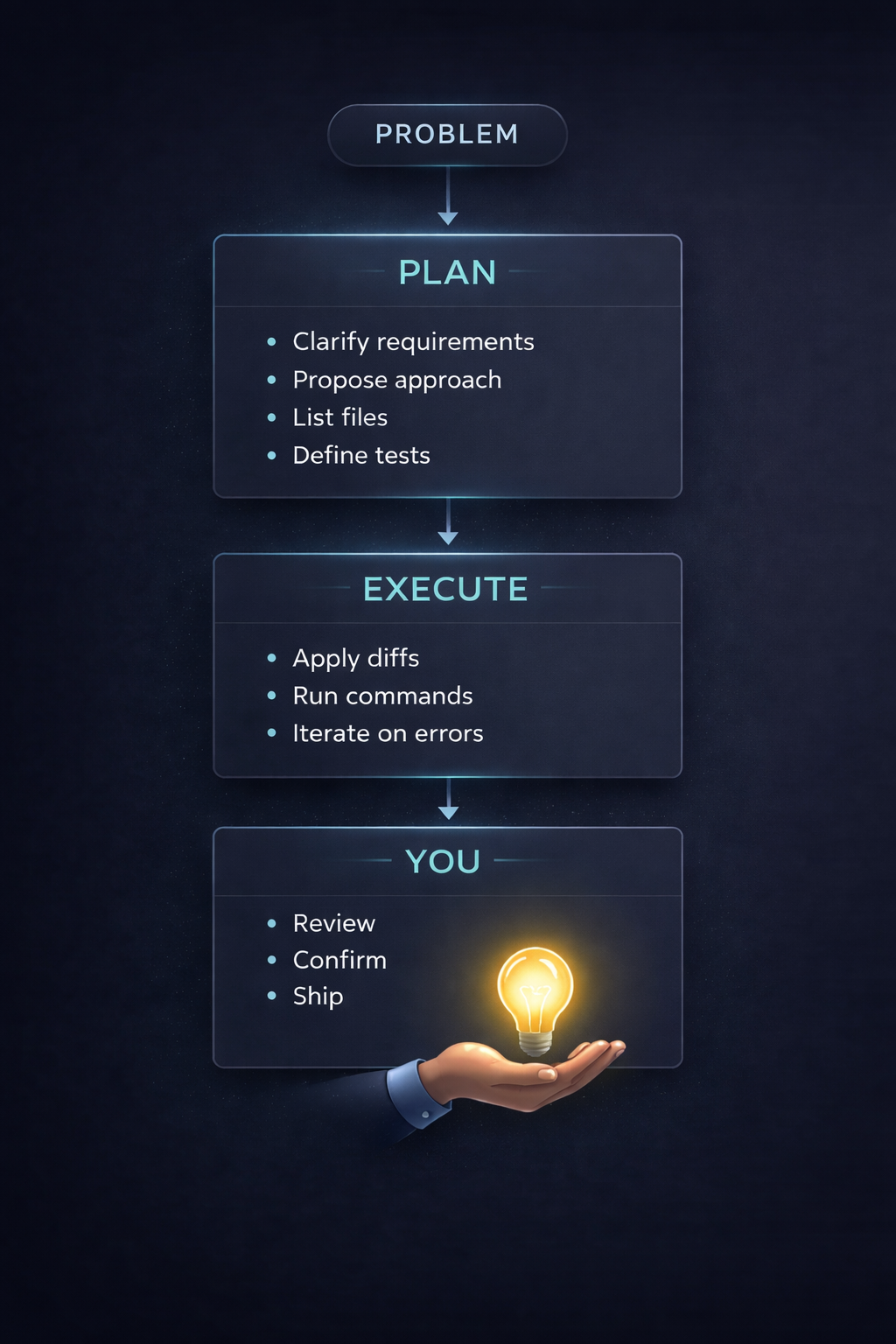
This usually beats "one model does everything" on both cost and quality.
Privacy: paid doesn't mean private
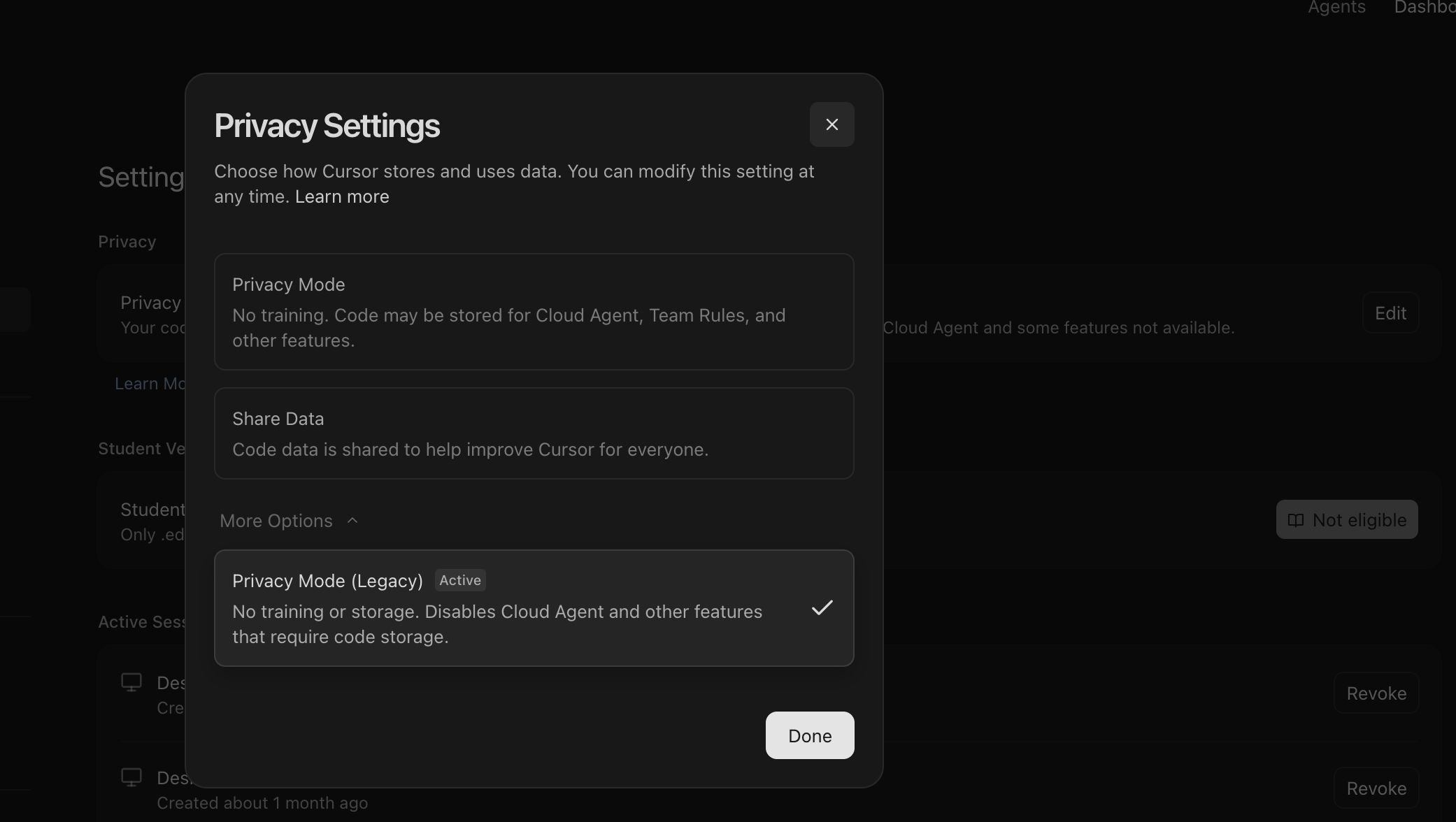
Cursor's privacy settings — worth checking what's toggled on by default.
This is where people get sloppy.
Even on paid individual plans, don't assume training or retention is off. Some tools require you to toggle settings. And if the tool runs code in the cloud, that's a bigger surface area than people realize.
My practical rules:
- Personal projects: consumer plans are fine (turn off training if possible)
- Sensitive/company repos: prefer enterprise terms, or API usage with explicit retention guarantees
- When in doubt: treat cloud agents as running your code on someone else computer
Self-hosting is the extreme end of privacy. It can be worth it, but it's rarely "cheap" after you include compute, ops, reliability, and security. In a lot of cases, paying for a provider with clear no-logging/retention terms is simple. Unless you truly need privacy + throughput enough to justify the burden, mostly for enterprise use cases. For personal use case, honestly even with the latest open source consumer grade coding agent (< 30b models), I honestly feel using the paid PAYG would be a better choice.
One more thing: Don't trust landing page copy. Read the policy. Vendors can say "we don't store prompts" in marketing and still leave themselves wiggle room in legal terms.
The current landscape (how tools tend to show up)
Most tools fall into a few shapes:
- IDE-first: Cursor / Windsurf / Copilot inside VS Code
- CLI-first: Claude Code, Codex CLI, OpenCode, etc.
- Extension-based agents: Roo, Cline, OpenHands-style integrations
In practice, builders usually end up with a stack (be it due to tooling constraints, or personal preference):
- one tool/model for planning and reasoning
- one for execution and edits
- one for autocomplete
- sometimes one for indexing/search
Pricing buckets (free to company pays)
This is opinionated and based on value per work shipped, not leaderboards (although I might add that TerminalBench and SWE Verified are good benchmarks).
One recommendation before diving in: never go for an annual plan with individual AI companies. You never know which model will beat the rest on any given day, locking in for a year means you are stuck when the landscape shifts or worse, a rug pull.
1. Free / Almost-Free (The Hacker Tier)
You can get surprisingly far without spending much, provided you know where to look.
OpenCode + Free APIs: OpenCode provides access to models like Minimax 2.5. If you use OpenRouter, there are free APIs you can plug right into OpenCode. The catch? It can be slow or throw random error codes during peak times.
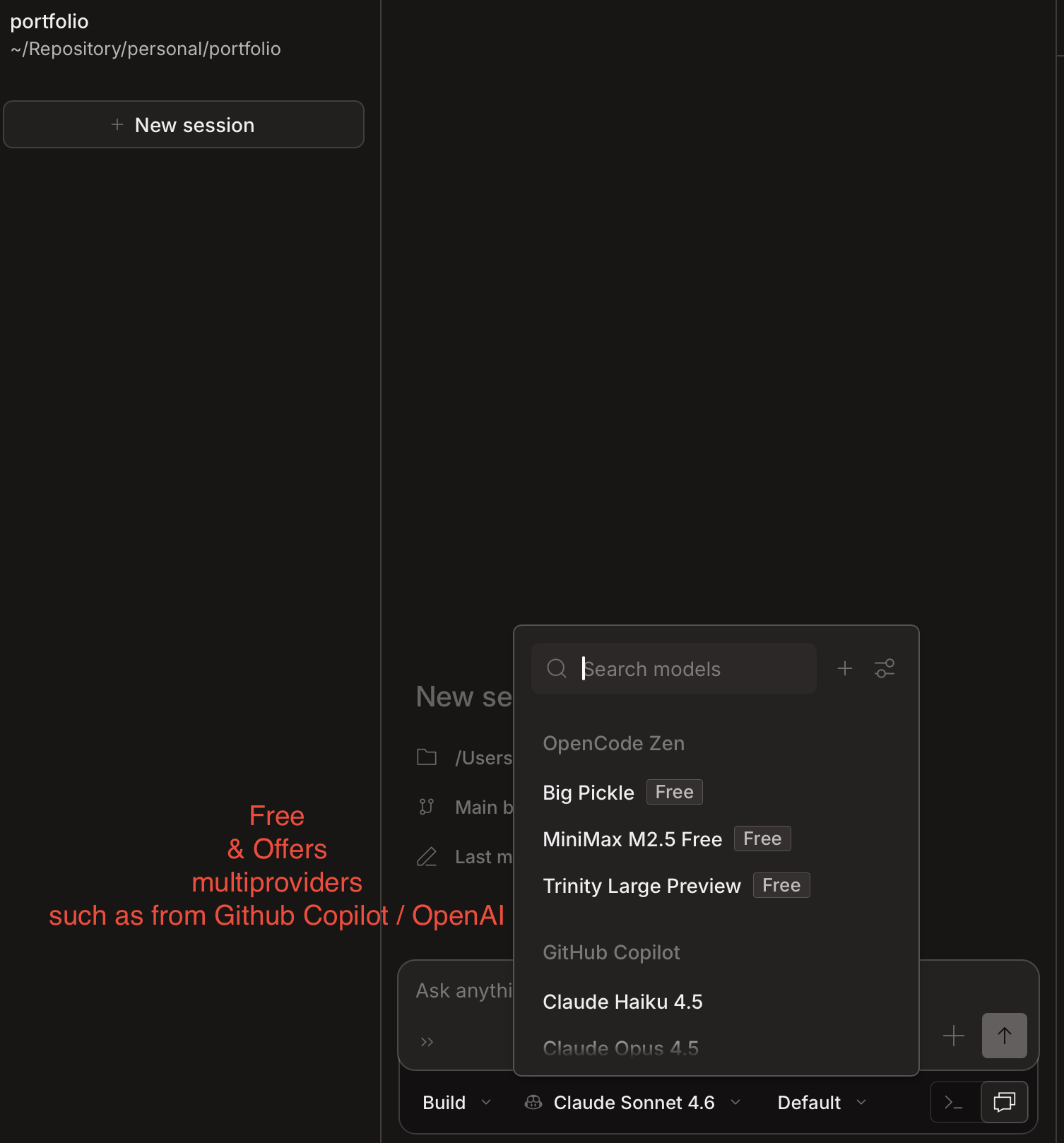
OpenCode running with free models — If a product is free, you are the product
Nvidia Build (The Hidden Gem): Not enough people know this, but Nvidia provides APIs for almost-latest models like Kimi K2.5, GLM-5, and Minimax m2.5. Pair these with OpenCode, and you have a highly capable, free agentic setup.
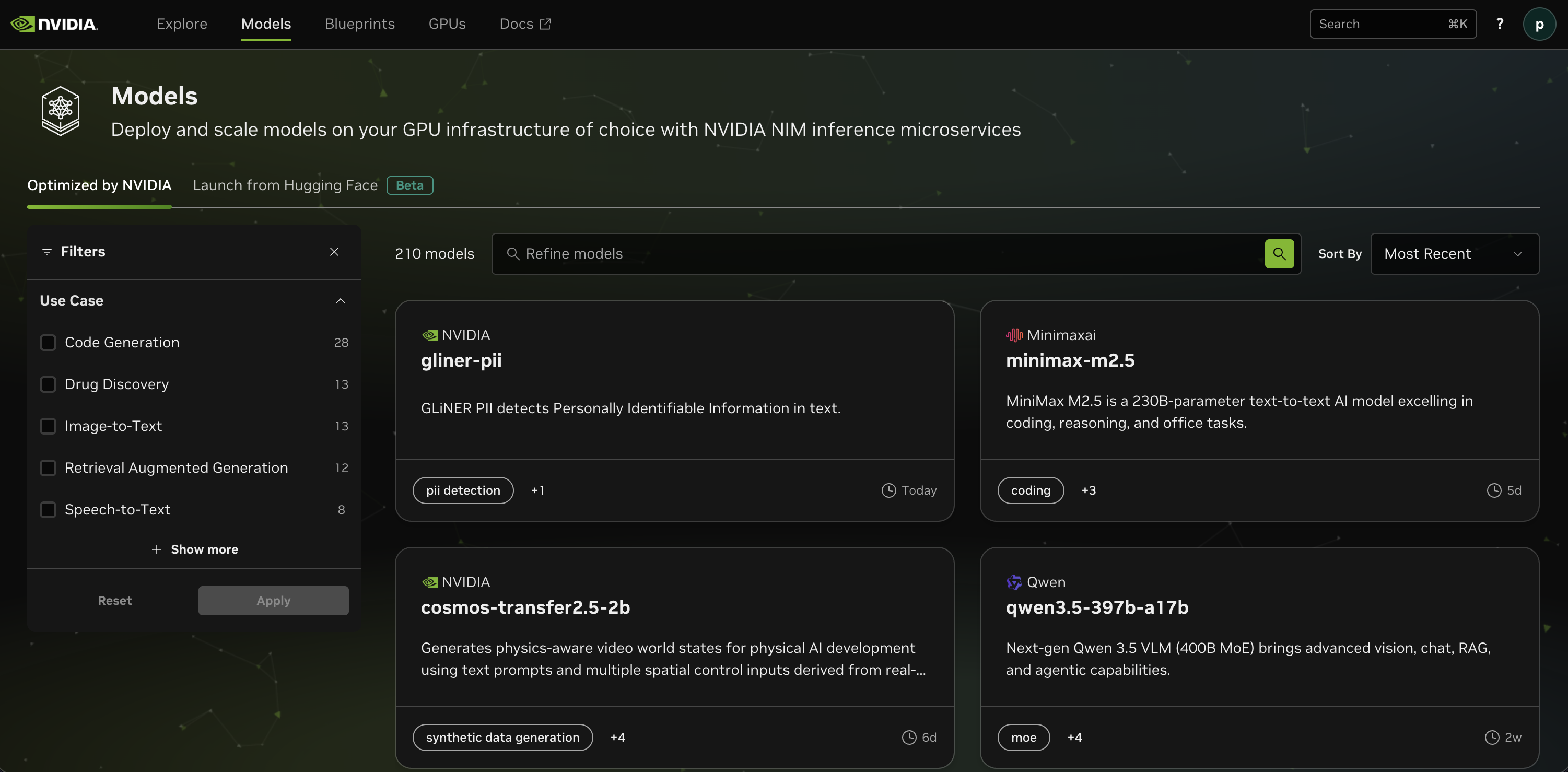
Nvidia Build's model catalogue — Kimi K2.5 and Minimax m2.5 are worth trying.
Provider Swapping: Using tools like Claude Code (the CLI) doesn't mean you must use Anthropic. You can swap out the provider with cheaper plans from Moonshot (Kimi) or Minimax. If you want an all-in-one, AliCloudCoding is worth looking into as it aggregates many top open-source models.
2. The Value Tier (Best Bang-for-Buck)
This is for predictable pricing and solid baseline quality.
Github Copilot: Hear me out. While the base harness might feel lacking compared to frontier labs, the value is excellent. You can use it alongside extensions like Roo or Cline (which offer codebase indexing). Pro-tip: Go into your VS Code settings, search for Copilot Reasoning, and change it to "High."
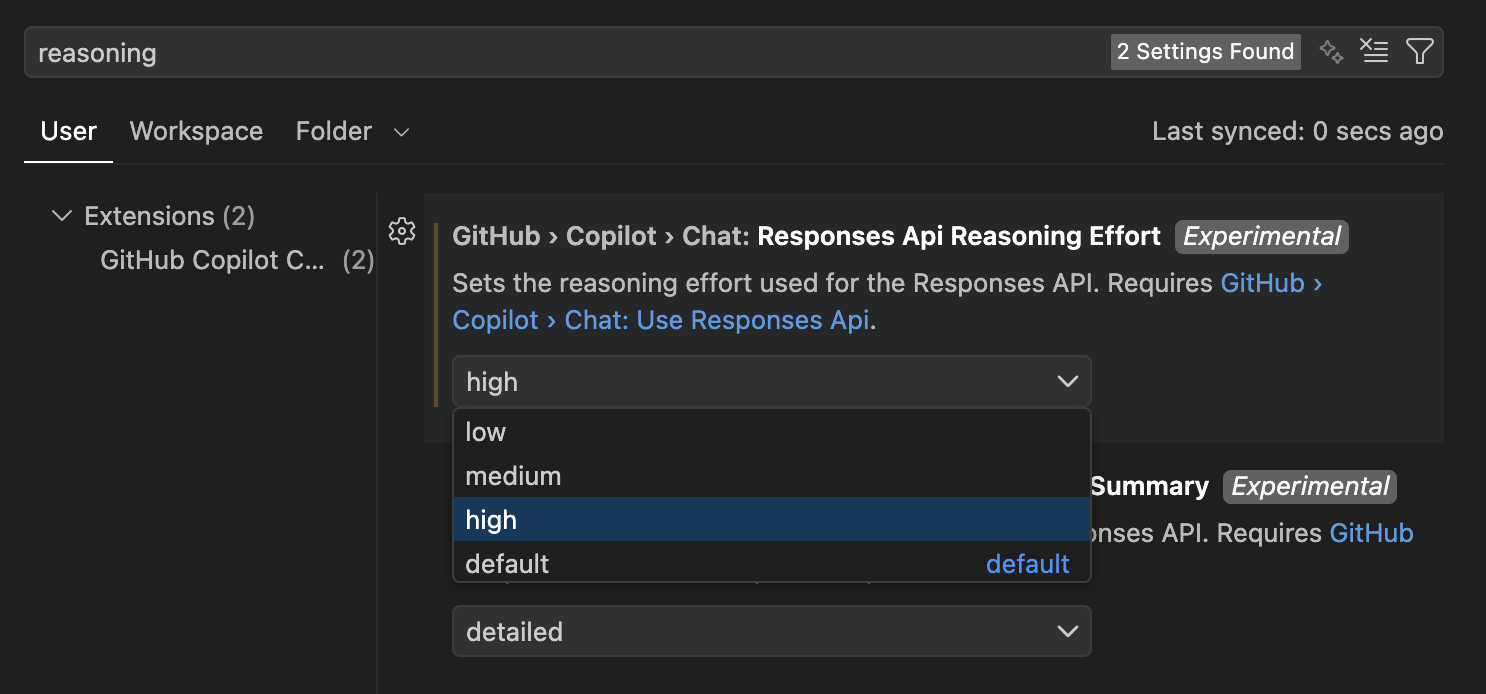
GitHub Copilot Reasoning Effort — Change the default to high (Note that responses will take a longer time)
OpenAI Codex: I've been incredibly impressed here. You get ChatGPT Premium and double the usage limit when using their desktop app (at least until 2 April 2026). The interface across desktop, plugin, and CLI is surprisingly cohesive.
Cursor: I've been a $20/month subscriber since day zero. People complain about it online, but the strategy is simple: use SOTA models for the hard architectural planning, and once you hit your premium limits, drop down to AUTO or cheaper models for the mechanical diffs.
3. Expensive but Excellent (The Heavy Hitters)
Claude Code: It's a no-brainer for quality, but heavy usage will burn through your wallet. Some Reddit users complain it occasionally feels "stupid" (speculation: aggressive quantization on the backend?), but if you route your workflow correctly—planning with Opus and executing with Sonnet—it is a powerhouse.
Benchmarks help, but it's not the whole story
Leaderboards are useful signals but they are not your workflow.
A model can look great on a benchmark and still be annoying in real life if:
- it cannot deal with your repo shape
- it loses context across long tasks
- it makes almost right edits that cost more time to review than you saved
My personal observation: cheaper open-weight models but with intelligence (minimally a reasoning model, it's 2026!), can be great for straightforward tasks with good prompting. But when you hit complex multi-repo planning and integration, the gap shows up fast.
Repo hygiene: make your codebase easier for AI (and humans)
This matters more than people think. Even with models that have huge context windows, a well crafted repo gets better results:
- keep files modular (avoid 2,000–5,000 line monsters)
- keep architecture notes close to the code
- use small "rules" markdown files per directory (
AGENTS.md/CLAUDE.md) - prefer fresh sessions for big tasks instead of long, compressed histories
- make "how to test" dead simple (one root makefile command if possible)
If you want more deterministic results, structure beats prompting.
Can you just say "build me an analytics dashboard that connects to my SQL DB"?
Not really. Not yet.
You will definitely get better output if you give:
- clear requirements and constraints
- acceptance tests
- a file list or repo map
- guardrails ("don't change API contracts", "only touch these folders")
These tools are powerful. But you still have to drive.
My current setup (March 2026)
For those who asked what I actually use day-to-day — here it is. The harness (Cursor, Claude Code, GitHub Copilot) shifts depending on the task, but the model routing stays roughly the same.
PLAN
Opus 4.6 (High) or Codex 5.3 (xHigh) for architecture, task breakdown, and design discussions. The harness varies — sometimes Claude Code, sometimes GitHub Copilot depending on what I'm working in.
EXECUTE
One of:
- Codex 5.3 xHigh (via Codex MacOS - Hooray for 2x limits)
- Sonnet 4.6 (via Claude Code or GitHub Copilot)
- MiniMax m2.5 (via OpenCode, when I want free and fast for mechanical diffs)
AUTOCOMPLETE
Honestly, I stopped using autocomplete. The agentic loop replaced it for me.
REVIEW
Manual review and tests before anything ships. No exceptions.
This changes fairly often, so treat it as a snapshot, not a recommendation.
Closing
AI-assisted coding is only going to get better. We already have tools that can land shockingly good one shot implementations, and the floor keeps rising.
The biggest leverage is not finding the one perfect tool. It is:
- picking tools based on your workflow and constraints
- splitting PLAN vs EXECUTE
- keeping your repo structured so the tools can succeed
This is my first blog post, so thanks for reading. If you have had different experiences, especially around value tiers, privacy, or self-hosting. I would love to hear them.